Quick Start:
Main Interface:
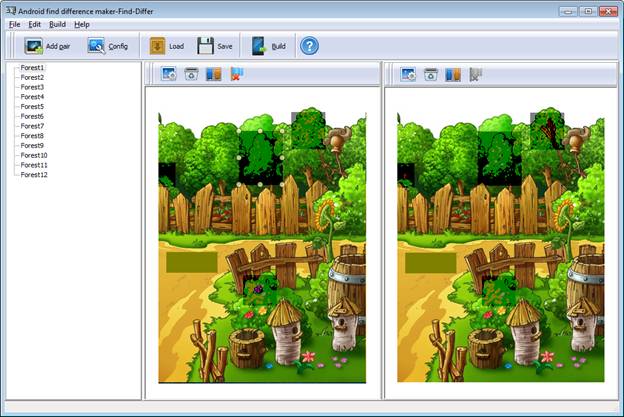
1 Click  to add new picture pairs.
2 Click  to add images both sides.
3 Click  to clear image on each side.
4 Click  to add masks to the differences.
5 Click  to remove the difference mask.
6 Click  to setup game rules, interface, button, audio, language,
Ads, etc.
to setup game rules, interface, button, audio, language,
Ads, etc.
7 Click  to save the current editing game as a project file
for future reuse.
to save the current editing game as a project file
for future reuse.
8 Click  to load the previous saved project file to continue
editing.
to load the previous saved project file to continue
editing.
9 Click  to start building Find-Difference game app.