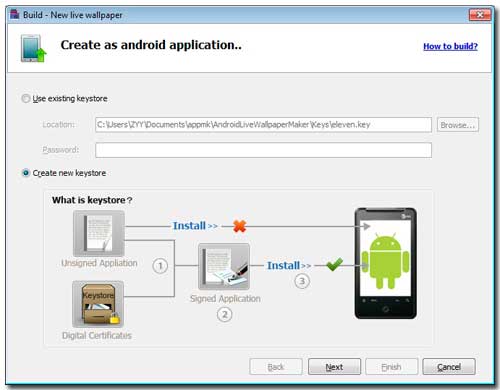
You should create a keystore which belong to the private key for your masterpieces. You know, Android system will refuse installing it, if Android app hasn't the private key, .
1 Click Build.
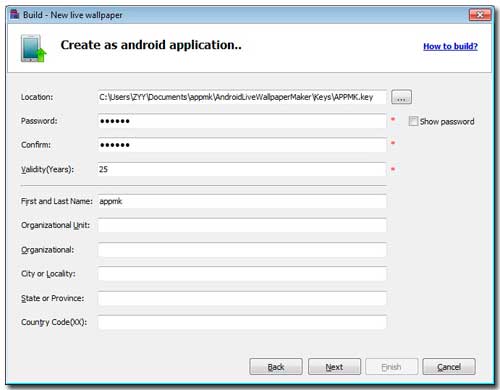
2 Browse a saving path (you can adopt the default directory)for the key and give a new name (should not the existed). The forms whose tail noted by red asterisk are required and the others at least you have to fill one. Something need to emphasize that the required form "Validity (Years)" is at least 25 years. Finally click "Next" to create keystore.
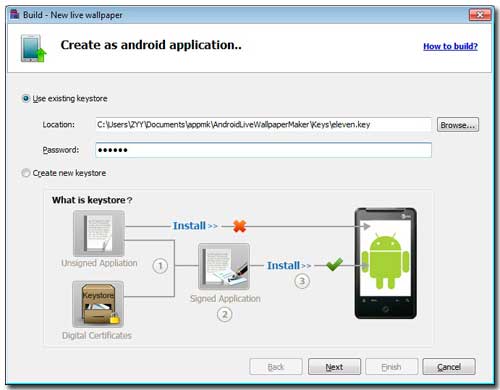
3 With the registered keystore, you log in and then begin building wallpaper app.
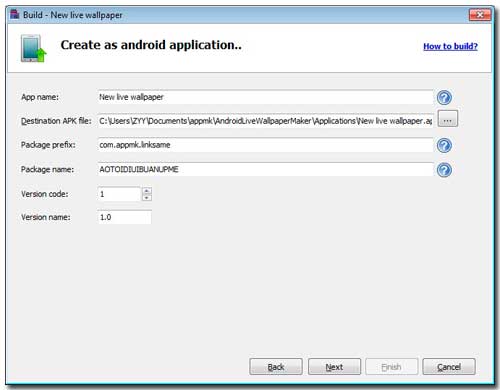
4 Give the unborn wallpaper a name, find a folder to hold it, input version code and name, etc. There are some options you should notice: Android live wallpaper maker provides package prefix (the format is XXX.XXX.XXX, it can never be violated) and name.
5 A wallpaper has been created.
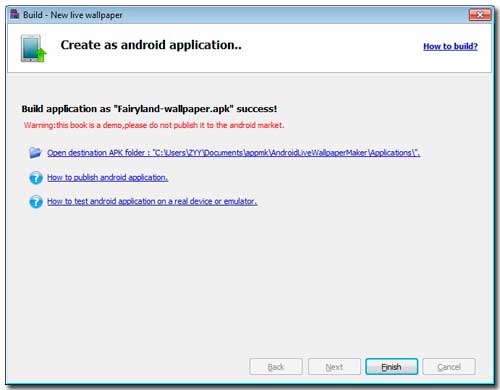
Note: The above 3 blue links: (1) open the output Apk file folder; (2) Go to FAQ: "How to publish android application"; (3) Go to FAQ: "How to test android application on a real device or emulator".