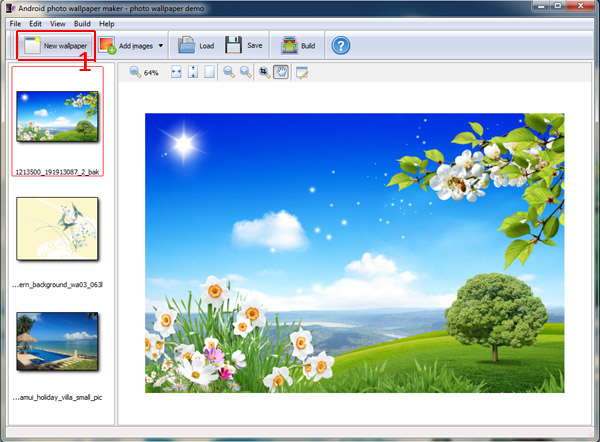
Install Android photo wallpaper maker, and then create new wallpaper.
1 Click the icon new wallpaper to create wallpaper.
2 Add image files or add images from folder.
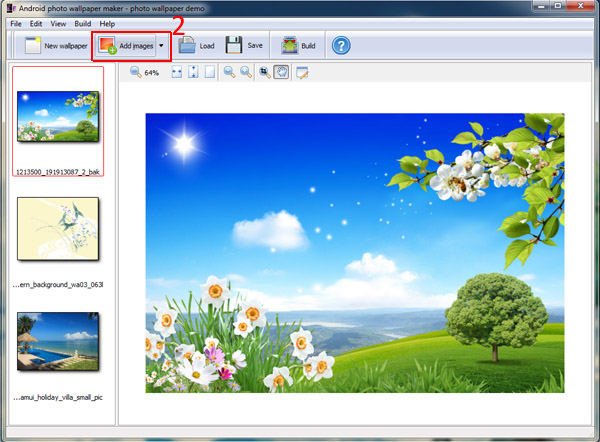
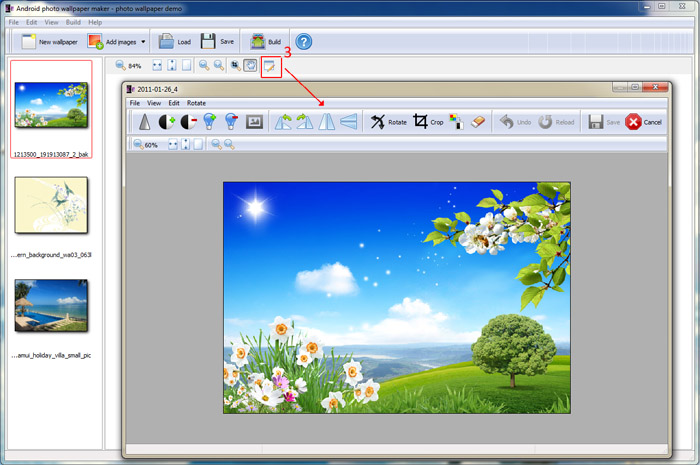
3 Click edit icon to define settings for the wallpaper: sharpness, contrast, brightness, rotation, etc.
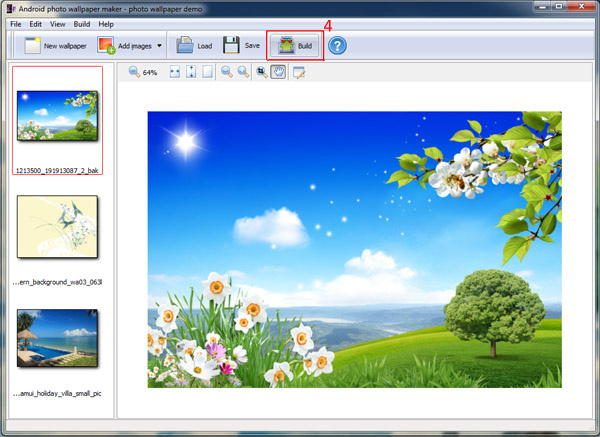
4 Click the icon "Build" to build wallpaper app.
5 Connect the computer with Android device, and live wallpaper will automatically install in the Android device. Then you can set animation effect for the wallpaper on Android£º
(1) Speed: slow, medium and fast.
(2) Switch mode: normal, fade, slide, scrollup, moveshow.